

If you’ve been looking into ways to customize your singleplayer experience, you’ve probably come across both trainers and mods. People sometimes use the terms interchangeably but they are actually quite different tools that work in completely different ways. Here’s a clear breakdown of both so you know exactly what you’re working with.
Contents
What is a Trainer?
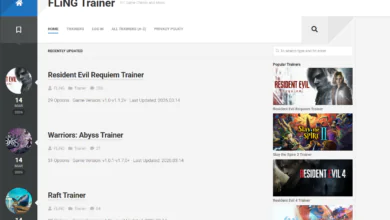
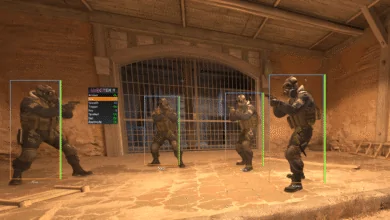
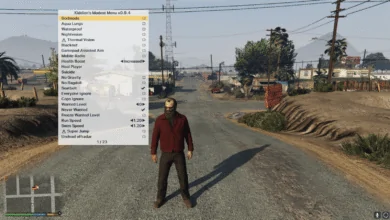
A trainer is an external program that runs alongside your game and modifies its memory in real time. It doesn’t touch any of the game’s actual files. Everything it does happens temporarily while the game is running, and the moment you close the game everything goes back to normal. Trainers are typically built around a set of hotkey-activated options like God Mode, Infinite Ammo, or Speed Multipliers.
Because trainers work at the memory level and don’t modify any files, they leave no permanent trace on your game installation. Verifying your game files through Steam, for example, will show everything as normal because nothing was actually changed on disk.
What is a Mod?
A mod, short for modification, works differently. Mods directly add to or replace files within the game’s installation. This could be anything from a texture replacement that makes the game look better, to a completely new questline, new weapons, new mechanics, or even a total overhaul of how the game plays.
Mods are installed into the game directory itself and persist between sessions. When you launch the game with mods installed, those changes are baked into the experience until you remove them. Some games have official mod support through tools provided by the developer, while others rely on the community figuring out the file structure independently.
Key Differences at a Glance
Persistence. Trainer changes are temporary and only active while the trainer is running. Mod changes are permanent until you uninstall them.
File modification. Trainers do not touch game files. Mods replace or add to them directly.
Scope. Trainers are focused on gameplay toggles and value editing, things like health, ammo, speed, and stats. Mods can change virtually anything about a game including visuals, audio, story, and mechanics.
Setup. Trainers generally require no installation and work out of the box. Mods often require a mod manager or manual file placement and can conflict with each other if not managed carefully.
Updates. When a game updates, trainers need to be updated to match the new version because memory addresses shift. Mods may also break on updates but for different reasons since the game files they modify may have changed.
When Should You Use a Trainer vs a Mod?
Use a trainer when you want quick, flexible control over your gameplay without committing to any permanent changes. If you just want to toggle God Mode for a tough section or edit your resource count mid-session, a trainer is the faster and cleaner option.
Use a mod when you want to fundamentally change or expand the game in a lasting way. If you want better graphics, new content, quality of life improvements, or a completely different experience built on top of the base game, mods are the right tool.
A lot of players actually use both at the same time. A heavily modded game can still benefit from a trainer running alongside it, and the two don’t typically interfere with each other as long as the trainer is compatible with the modded version of the game.
Which One is Better?
Neither is objectively better. They serve different purposes and appeal to different types of players. Trainers are immediate and disposable. Mods are invested and transformative. The best approach depends entirely on what you’re trying to get out of your game.