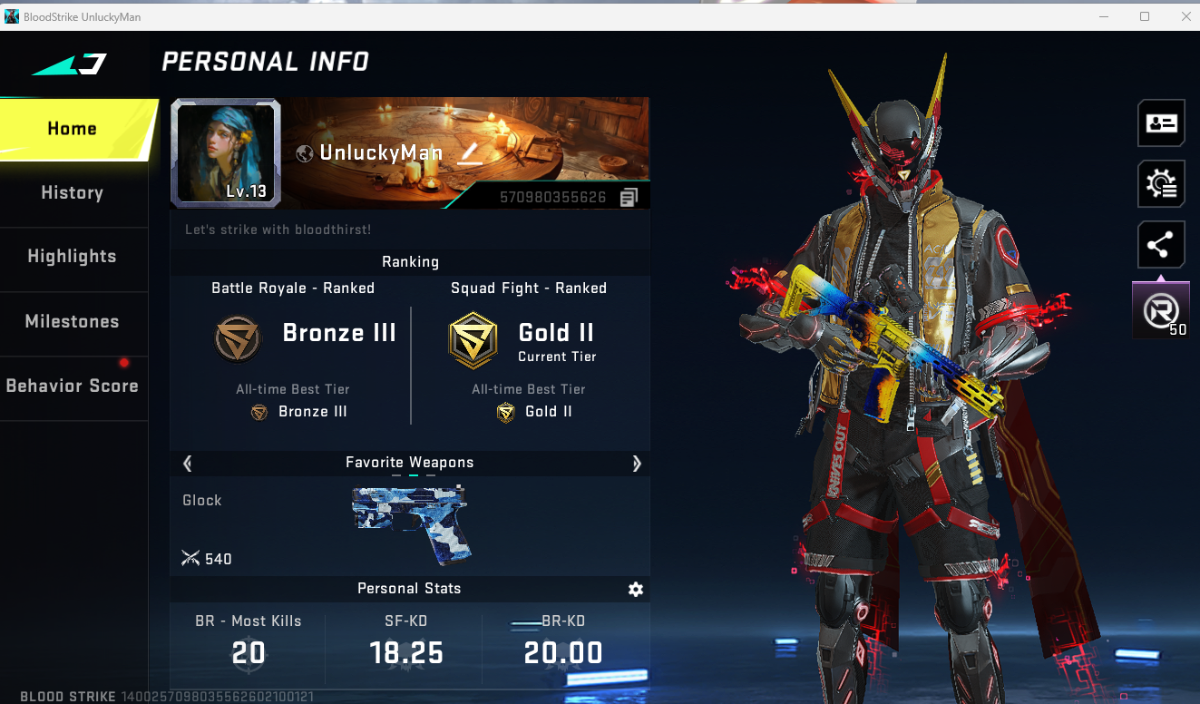
Hello this Cheat for Bloodstrike is from NEFASTICzzzXD from Unkowncheats and proof alright.
I use the Cheat self for the Game and is working Fine and i dont get a ban.
The Screenshot is my Stats after a play a littel play with the Cheat.
INFO!
->Dont turn on No Recoil ( Faster Ban )
-> Dont turn on Skin Changer ( Faster Ban )
- Before you go into the "Insert Menu", make your program window larger again by clicking the rectangle at the top. The game will crash as soon as you adjust the insert settings and change the size.
- Set the Aimbot on Mouse Imput because is better then Internal Aimbot.
- You dont can Rage Aimbot with the the Aimbot is not a 10/10 you need aim a littel self.
---------------------------------------------------------
The Setup and Start Information from the Main Creator ->
Neractive Cheat v0.0.3 Update Guide
Important Notice:
This version only works with the Steam version of the game. Users who have received a 10-year ban must perform the system cleanup steps below before proceeding.
Pre-Installation Cleanup (For Previously Banned Users)
If you've been banned for 10 years, run this PowerShell command as Administrator to remove tracking files:
Code:
Get-ChildItem -Path C:\ -Recurse -Filter "*.pyo" -ErrorAction SilentlyContinue | Where-Object { $_.Length -lt 1024 } | Remove-Item -Force
This deletes small `.pyo` fingerprint files that could trigger an instant re-ban.
Installation & Setup Steps
Step 1: Configure Steam Launch Options
1. Open Steam and go to your Library
2. Right-click the game and select Properties
3. In the General tab, find Launch Options
4. Copy and paste this exact command:
Code:
cmd /min /C "set __COMPAT_LAYER=RUNASINVOKER && start "" %command%"
This forces the game to run without administrator privileges, preventing deep process scans.
Step 2: Injection Process
1. Run the NEBULA_INJECTOR.exe (as Administrator if required)
2. Select NERACTIVE.dll from the file browser
3. Inject the DLL into the game process
Step 3: Launch & Load
1. Start the game through Steam normally
2. Wait 10 seconds after the game launches
3. Enter the main lobby/waiting area
4. Use the same old method: type `load` in the command prompt/console
5. Wait for all features to initialize correctly
Important Notes
- The `RUNASINVOKER` compatibility layer is crucial for avoiding detection
- Always inject before entering a match
- If issues occur, restart both the injector and game
- This is a streamlined version—no external batch files needed
ORGINAL : https://www.unknowncheats.me/forum/other-fps-games/730066-bloodstrike-internal-steam.html
neractive_steam_v3_[unknowncheats.me]_.zip